
Your OpenEd platform acts as the central hub of your family's education.
It's divided into a few different sections.
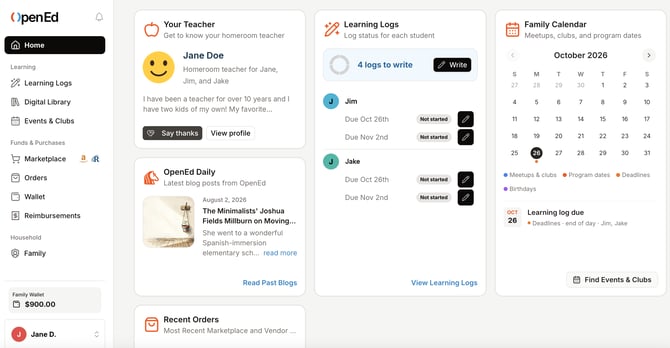
Learning
The Learning part of your platform is where your student will submit learning logs and access their digital resources and live events.
What each page is for:
Learning Logs: Submit all of your students' learning logs in one place.
Digital Library: Access the curriculum you've picked up through the OpenEd marketplace, along with free resources like Exact Path, BrainPOP, and Study Island.
Events & Clubs: View details on your student's events and clubs, including the links to join. (Sign up for events and clubs through the marketplace.)
Funds & Purchases
Under Funds & Purchases, you can browse the OpenEd marketplace, submit for reimbursement, and check on the status of your orders.
What each page is for:
Marketplace: Use your program funds to order from a wide range of curriculum options. Place direct orders through Amazon and Rainbow Resource. Sign up for live virtual events, clubs, and tutoring offerings.
Orders: Check the status of your marketplace and direct orders.
Wallet: Manage your program funds, monitor direct curriculum spending, and view itemized usage breakdowns per student.
Reimbursements: Submit for reimbursement for approved educational expenses.
Household
The Household section gives you a bird's eye view into your family's enrollment.
What each page is for:
Family: Manage your account details. Review your student's education plan. Upload a family crest or logo.
Enrollment: Submit your student's enrollment tasks.
Parent Handbook: Hop over to our collection of help articles for parents.