.png?width=250&height=59&name=OpenEd_logo_noborder%20(1).png)
Through the OpenEd Academy marketplace, you can access the wide range of educational resources available to you as part of your tuition.
Whether you're looking for full curriculum packets or a few enrichment add-ons, we've got you covered!
How It Works
While you're in the OpenEd platform, click on the Marketplace menu option from the lefthand sidebar.

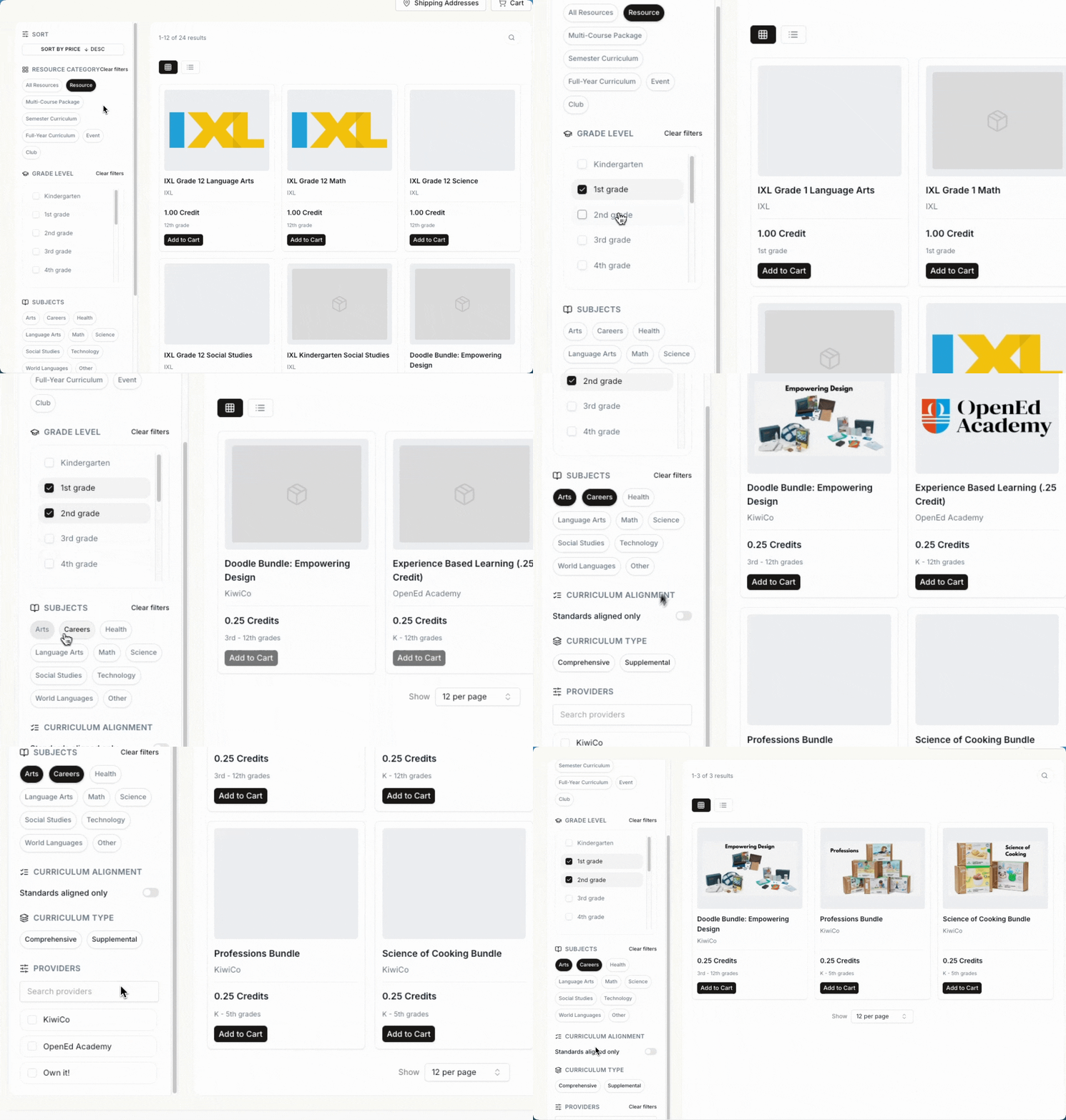
Your tuition grants you up to six credits for up to twelve months. How you use these credits is totally up to you.
Duolingo Live Support
If you're interested in picking up a Duolingo language class through the marketplace, we're proud to offer live support for the following languages:
-
French
-
Spanish
-
Japanese
-
Chinese
-
German
How To View Your Orders
To see what resources you've already ordered, click on the Orders menu option.

On this screen, you'll be able to see some details about each order, including its status, what date you placed the order, and how many credits it cost.

Adding Parent Supplied Curriculum and Experience Based Learning Through The Marketplace
Along with choosing from the courses offered through the marketplace, you also have the option to include parent supplied curriculum and/or experience based learning on your student's official transcript.
Tip: Watch these short walkthrough guides on how to add parent supplied curriculum and experience based learning through the marketplace.
In the marketplace, use the search bar in the top right corner to search for either "parent supplied curriculum" or "experience based learning."


What To Expect After Your Request Is Approved
After your request to add parent supplied curriculum or experience based learning to your student's transcript is approved, your academic counselor will work with you to create a new portfolio for your course using the platform Unrulr.
Together, you’ll create a course description, curriculum and instructor record, and student performance goals.
Then, your academic counselor will set up a time for you and your student to meet with the supervising teacher for the course.
Note: This meeting with the supervising teacher is a great time to clear up any questions and establish meaningful checkpoints with plenty of opportunities to celebrate your student’s progress.
Once your portfolio is complete, your supervising teacher will write up a final review and submit a course grade to be included in your student’s transcript.
You’ll receive confirmation of your transcripted credit from your academic counselor.
Returning An Order
Most items in our marketplace are eligible for a 100% refund if you make your return request within 14 days of the date that you receive login access.
After 14 days, the amount of the refund will vary by resource.
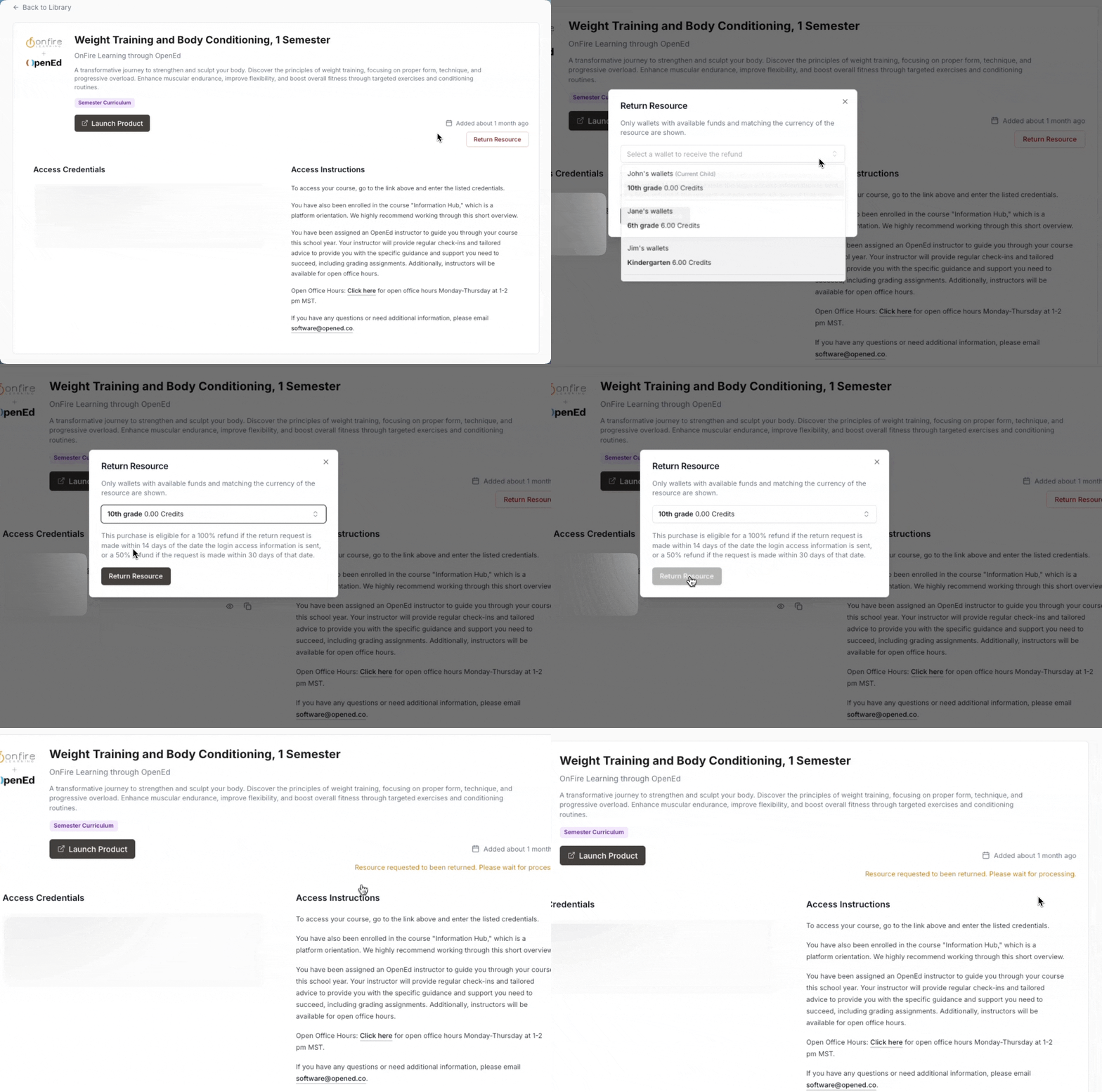
To return an order, go to your Library and click on the item you'd like to return.
On the right side of the screen, you'll see a button labeled Return Resource.
Select one of your student's wallet to receive your refund.
Our team will take it from there!