
Under the Funds & Purchases section of your OpenEd platform, select the Marketplace option.
All OpenEd students in Oklahoma have $2,000 in available funds for the 2026-27 school year. (Mid-year students receive half of that amount.)
OpenEd's marketplace is where you can:
- Access top educational resources from the curriculum providers you know and love
- Shop directly through Amazon and Rainbow Resource using your program funds
- Sign up for live virtual events, clubs, and tutoring
You'll see Amazon and Rainbow Resource options at the top of the marketplace page. For info on how to place direct orders, click here.
Below your direct order options, you can browse everything that the OpenEd marketplace has to offer.
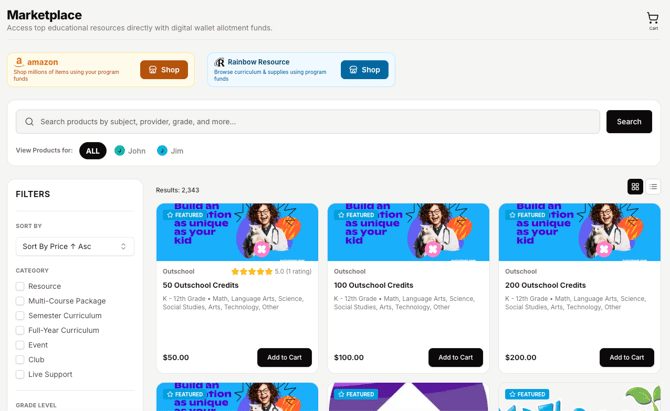
How To Use The OpenEd Marketplace
By default, the marketplace is set to view products for all of your students.

If you only want to view products relevant for a specific student, click on their name. That will automatically filter your results by items designed for their grade level.
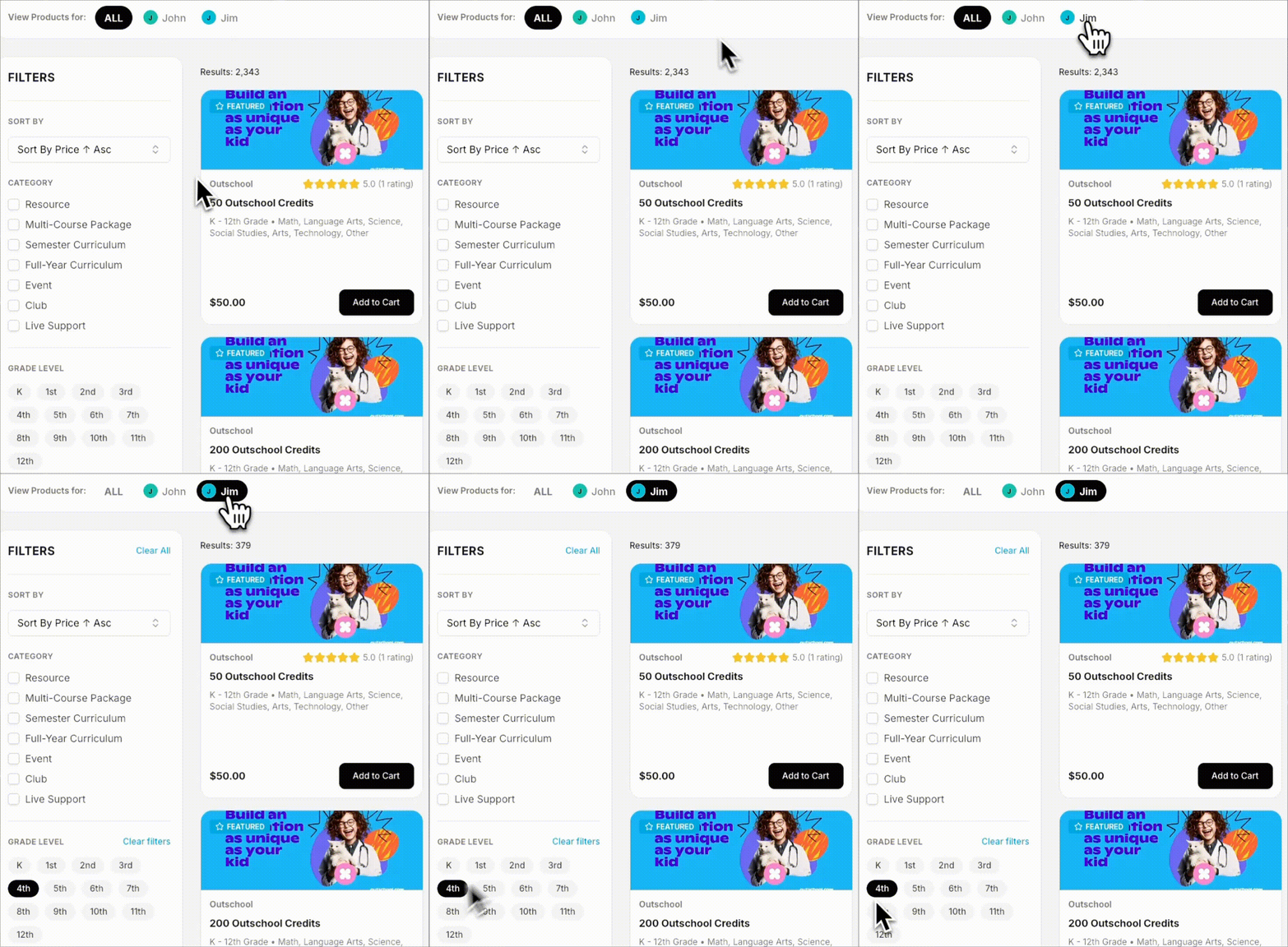
You can also filter your results by category, subject, price, or provider.
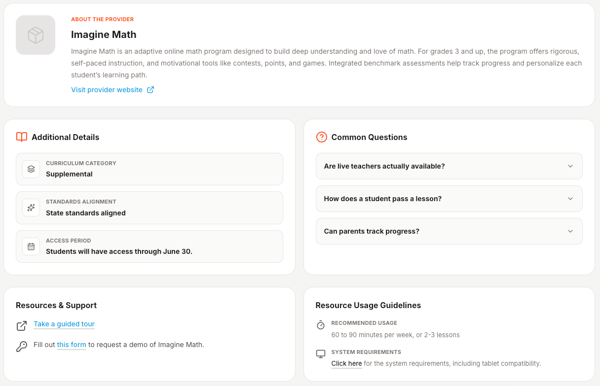
Click on a listing to view more details, like answers to frequently-asked questions or details about how long your student will have access after you purchase.
Placing An Order
You can use your wallet funds for approved items that support your student's education plan.
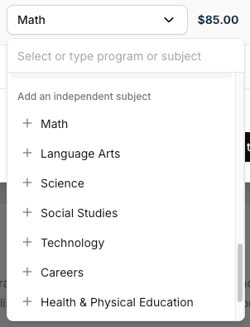
When you add an item to your cart, you'll be asked to connect it to a subject on your student's education plan.
As long as the resource you're buying relates to one of the subjects listed on the education plan, you're good to go.
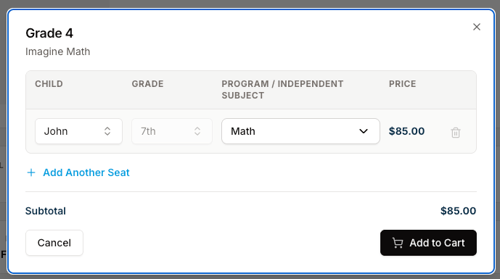
Don't see the subject that you need?
You can add new independent studies to your student's education plan directly from the Program / Independent Subject dropdown menu.
Free Resources
These free resources are automatically included in your student's library:
- BrainPOP
- Exact Path
- Study Island
These free resources are available through our marketplace (you'll have to order them before they show up in your library):
- Adobe
- Canva
- Generation Genius
- Gizmos
- Legends of Learning
- Microsoft
- Musiquest
- Newsela
- Own It!
Preordered Items
During the Summer, you can preorder items for your student to use during the school year. (Your student will get access to these items once the school year starts.)
On the checkout screen, you'll see your item marked as preorder. That means that you can't start using your resource just yet – but you'll be able to soon!
Processing Timeline
Typically, your order will be processed within 14 business days from the date you initially submitted it.
Returning An Order
Most items in our marketplace are eligible for a 100% refund if you make your return request within 14 days of the date that you receive login access.
After 14 days, the amount of the refund will vary by resource.
To return an order, go to your Digital Library and click on the item you'd like to return.
On the right side of the screen, you'll see a button labeled Return Resource.
Select one of your student's wallets to receive your refund.
Our team will take it from there!