
Your Digital Library (under the Learning section of your platform) is where you can access all of the virtual resources that you've picked up through your OpenEd marketplace.
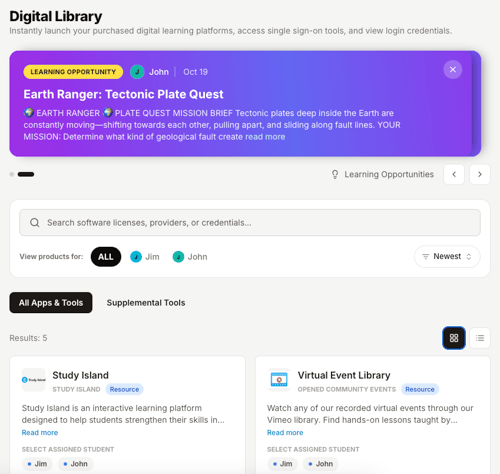
How To Access Your Resources
In your library, you'll see a different tile for each of your resources.
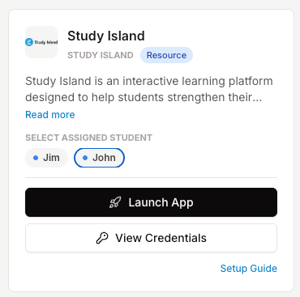
Each tile includes:
- A description of the resource
- A Launch App button that lets you access the resource
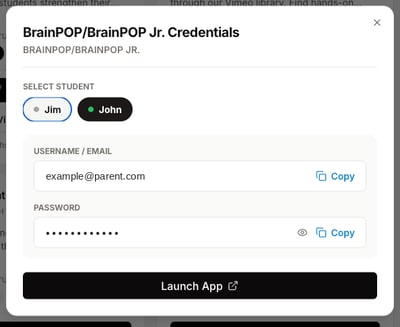
If your resource requires a username and password, you'll also see a View Credentials button.
Select a student, then click View Credentials to see their username and password.
Included Resources
Your student will start the school year with a few free resources already loaded into their library.
These resources include Exact Path, Study Island, and BrainPOP/BrainPOP Jr.
To access all three of these resources, your student will use a platform called Clever.
Interested in more free resources? Head over to the marketplace and sort by price to view all of our free offerings.