
Every month, OpenEd offers free virtual clubs and events to help students connect with friends across the country who share their interests.
How to know what clubs/events are coming up: You'll get a Community newsletter by email on the 20th of every month (adjusted for weekends/holidays).
That newsletter lists all of the fun opportunities we'll be offering during the following month.
How To Sign Up
Sign up for virtual clubs and events through the Marketplace tab of your OpenEd platform.
You can filter your marketplace results to only view event or clubs.
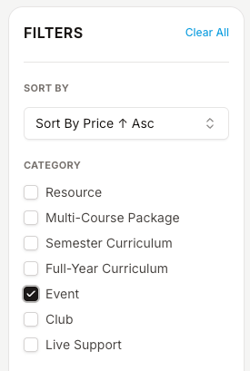
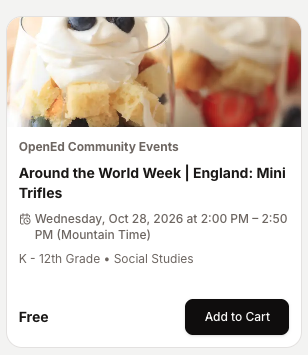
Click on the name of an event or club to view more info, like any recommended supplies.
To reserve a spot for your student, click Add to Cart.
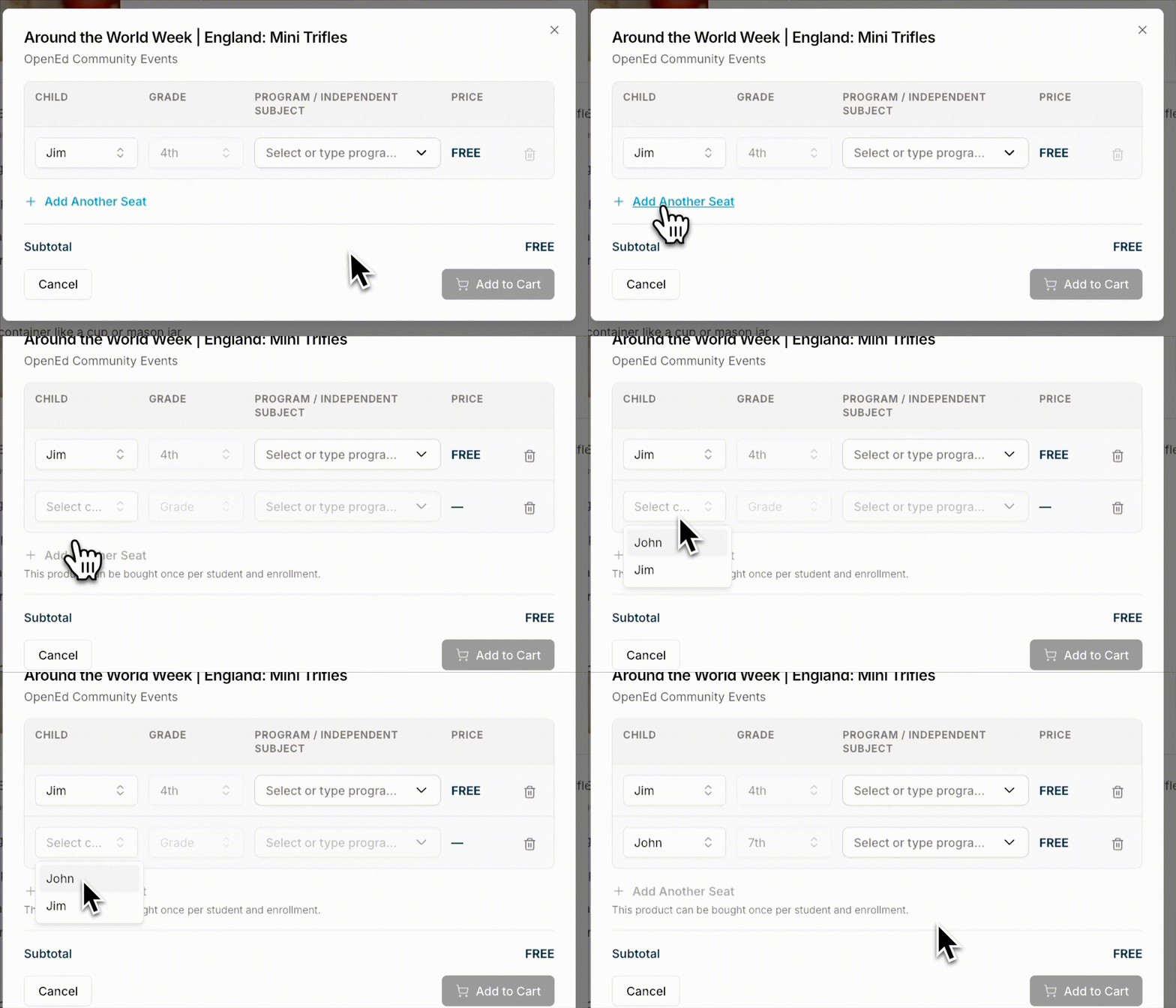
If more than one of your students wants to participate in the same event/club: You can sign up for more than one student! Select Add Another Seat while checking out.
Where To Find Your Club/Event Details
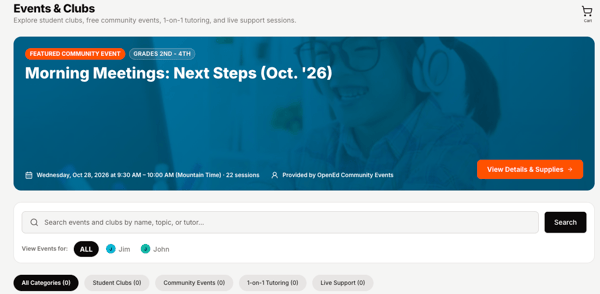
After you sign up, your event and club info will show up in the Events & Clubs tab of your platform.
If you sign up for any live support sessions, those details will show up on that same tab.
Frequently Asked Questions
Q: How do I find the list of supplies that my student will need for their event or club?
A: Those details will appear on your Events & Clubs tab after you sign up.
Q: How do I get the link to join my student's event or club?
A: You can access the link to join your student's club by clicking the Access Product button from the club's tile in the Events & Clubs tab.
We'll also send you daily reminders via email that will include the same link. If you have any issues joining your student's event or club, please reach out to us at community@opened.co.
Q: My student's club requires login credentials. When will I get those?
A: Our team will add in your login credentials the week before your student's club begins. You'll be able to view them through the Events & Clubs tab.
Q: How do I know what events and clubs will be available in future months?
A: On the 20th of each month (adjusted for weekends), our team sends out a Community newsletter that includes details on all of the events and clubs we'll be offering in the coming weeks.
This newsletter goes out to all OpenEd families, so we'll make sure you're in the loop!
Q: I signed my student up for an event or club, but I want to cancel that request to join. How can I do that?
A: You can cancel your slot through the Events & Clubs page.