.png?width=250&height=59&name=OpenEd_logo_noborder%20(1).png)
Q: My child is working on the same subjects every week. Can I submit the same reflection for each learning log?
A: Unfortunately no – OpenEd requires all students to submit a unique reflection for each learning log. This process makes sure that your student’s logs accurately demonstrate their participation in the program.
Q: Can my child record their reflection and send it as a video?
A: Absolutely! Your student should feel free to attach photos or videos to their learning log to show their teacher what they’ve been up to. We can’t wait to see what they’ve been learning!
Q: How can I set up an account for my student so that they can submit their own learning logs?
A: In your OpenEd platform, click on your name in the bottom left corner.
You'll see a Settings option pop up - click on that.
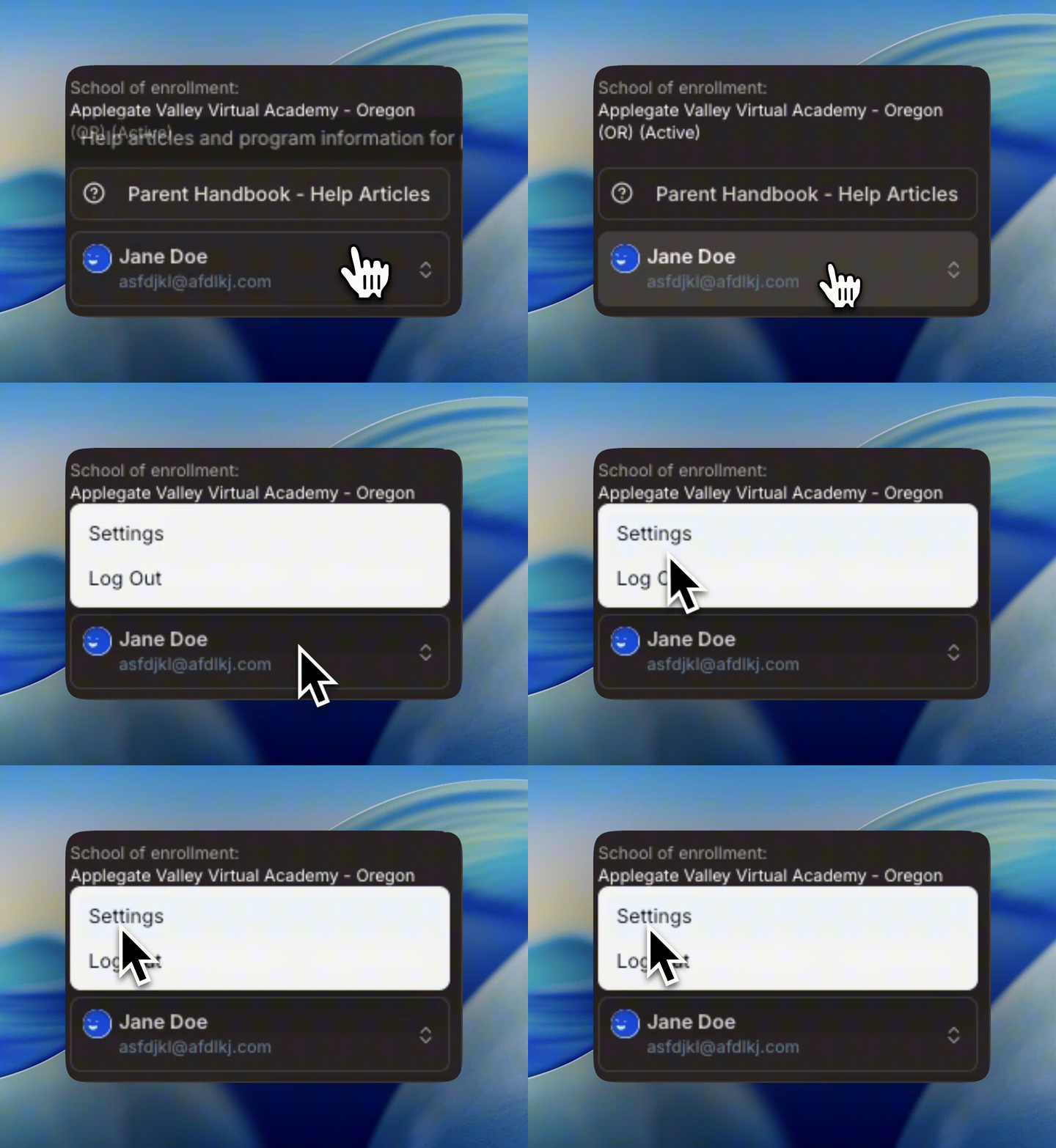
Click on the Kids tab. Then, click on the pencil icon to set up an account for your student.
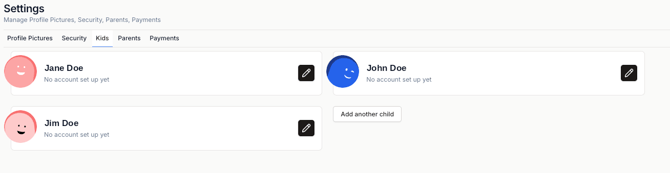
You'll be asked to enter your student's email address. After you do, your student will be able to log into opened.co/login using their email address.
Your student will need to request a magic link to log in. This link will be sent to their email address. We currently don't have an option for students to set up their own passwords to log in.
Q: What if my family goes on vacation?
A: Vacations can be an awesome time to learn! We encourage students to include what they learned while on vacation in their weekly learning logs (and we love to hear about our students’ adventures)!
If you prefer to work ahead before you go on vacation, you can also submit logs up to three weeks early.
If needed, students are also able to request up to 4 excused logs per year (no more than 2 excused logs per semester) due to extenuating circumstances.
Please note: Students can't request more than two excused logs in a row.
Q: Do I need to submit a learning log over school breaks?
A: Nope! Learning logs won’t be due over any school breaks noted on your program’s calendar.
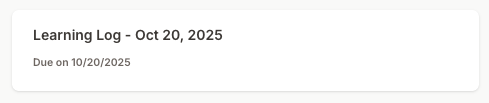
You can see the due date for each learning log through the log’s title. For example, in the screenshot below, the name of the learning log is Learning Log - Oct 20, 2025. This log is due on October 20th.
Take a look at our Key Dates article to review the school breaks for the 26-27 school year.