.png?width=250&height=59&name=OpenEd_logo_noborder%20(1).png)
Note: These checkpoint logs only apply to students in grades 3-8!
If your student is in grades K-2, then this info doesn't apply to them - they won't have any checkpoint logs.
In one learning log every quarter for students in grades 3-8, we incorporate a quick check-in about how your student is doing in math and language arts.
Why: This helps our team anticipate any support that your student might need to feel prepared to take the STAAR assessments next Spring.
What To Expect
On a checkpoint learning log, your student will be asked to check their progress in math and language arts in one of two ways:
1. By taking a short math and language arts diagnostic through Exact Path, a free resource available through the Library tab of your OpenEd platform.
2. By completing another measure of your student's current skills in math and language arts using a tool of your choice (like IXL Diagnostic, Khan Academy Course Challenge, or whatever curriculum-based tool works best for your family).
Here's what the learning log will look like:
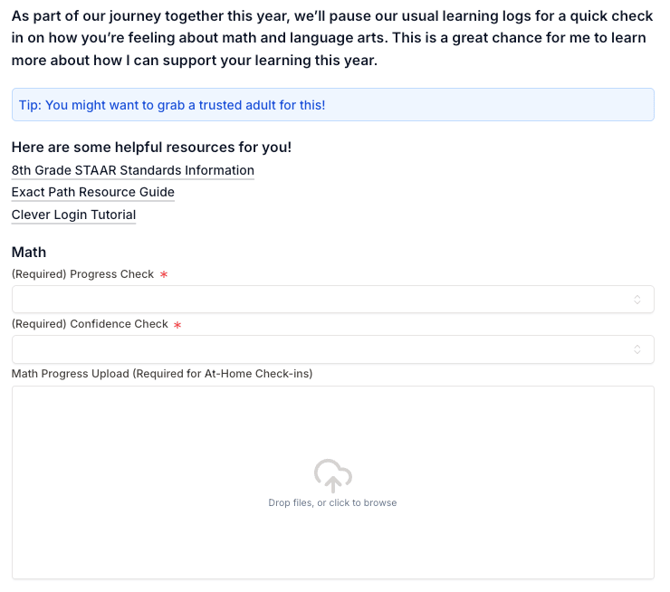
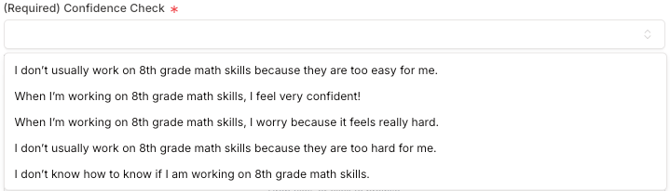
The "Progress Check" dropdown menu lets your student tell their teacher how they checked their progress (either through an Exact Path diagnostic, or through another at-home way).
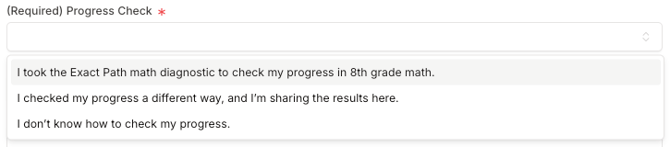
The "Confidence Check" dropdown lets your student tell their teacher how they're feeling about the subject:
How To Check Your Student's Progress Through Exact Path
To access Exact Path, log into your OpenEd platform and click on the Library tab.
From the Exact Path tile, click on the Show Credentials button to view your student's username and password. Then, click on the Access Product button.
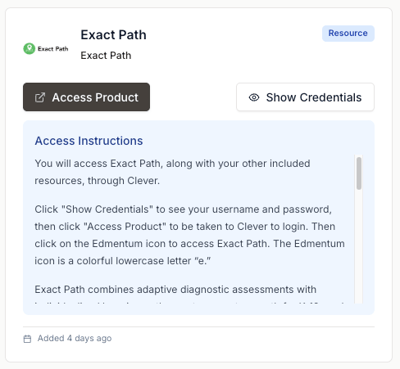
That'll bring you to a login page for Clever, which is the platform that allows you to access Exact Path (here's a minute-long video quickly showing this process).
How To Check Your Student's Progress With Another Tool
Prefer to check your student's progress with a tool other than Exact Path? No problem!
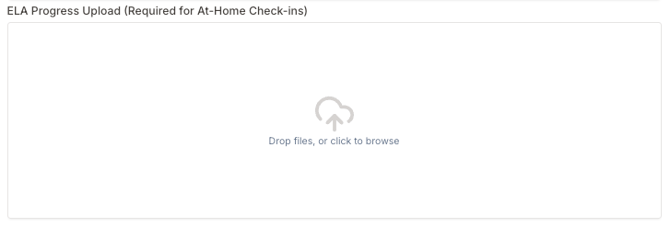
On their learning log, just make sure that they upload the results from whichever tool you decide to use.
Have any questions? Reach out to our team here!