.png)
We know that there's a LOT to keep track of while submitting for reimbursement - and we want to make sure we can process your request as soon as possible!
Take a look at these insider tips to help make sure that your reimbursement process goes off without a hitch.
Making The Connection To Your Student's Education Plan
Associating each line item in your reimbursement request with the right subject from your student's education plan is key to helping our team understand how your purchases relate to your student's learning.
Let's say you're submitting for reimbursement for a microscope.

By selecting your student's Science subject from the Education Plan dropdown menu, you're telling our team exactly how your purchase correlates to the personalized learning plan that's reported to your student's school of enrollment.
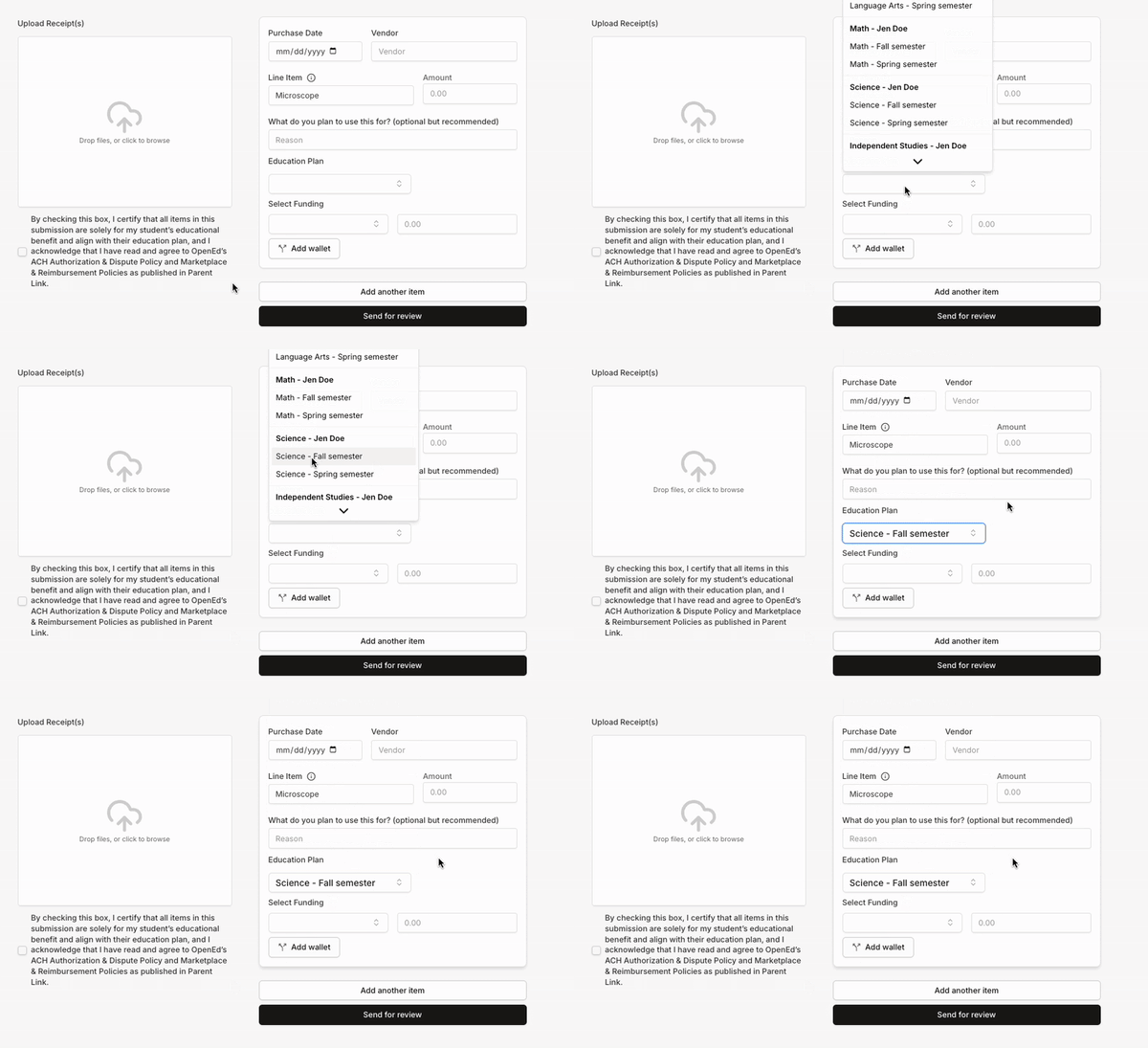
Keeping this connection clear and transparent builds trust with our school partners, ensuring that OpenEd can continue to provide our families with meaningful financial support.
Submitting Reimbursement For Multiple Students
OpenEd's flexible reimbursement tool allows you to include as many line items as you'd like in each reimbursement request. Just click Add another item to tack on another entry!
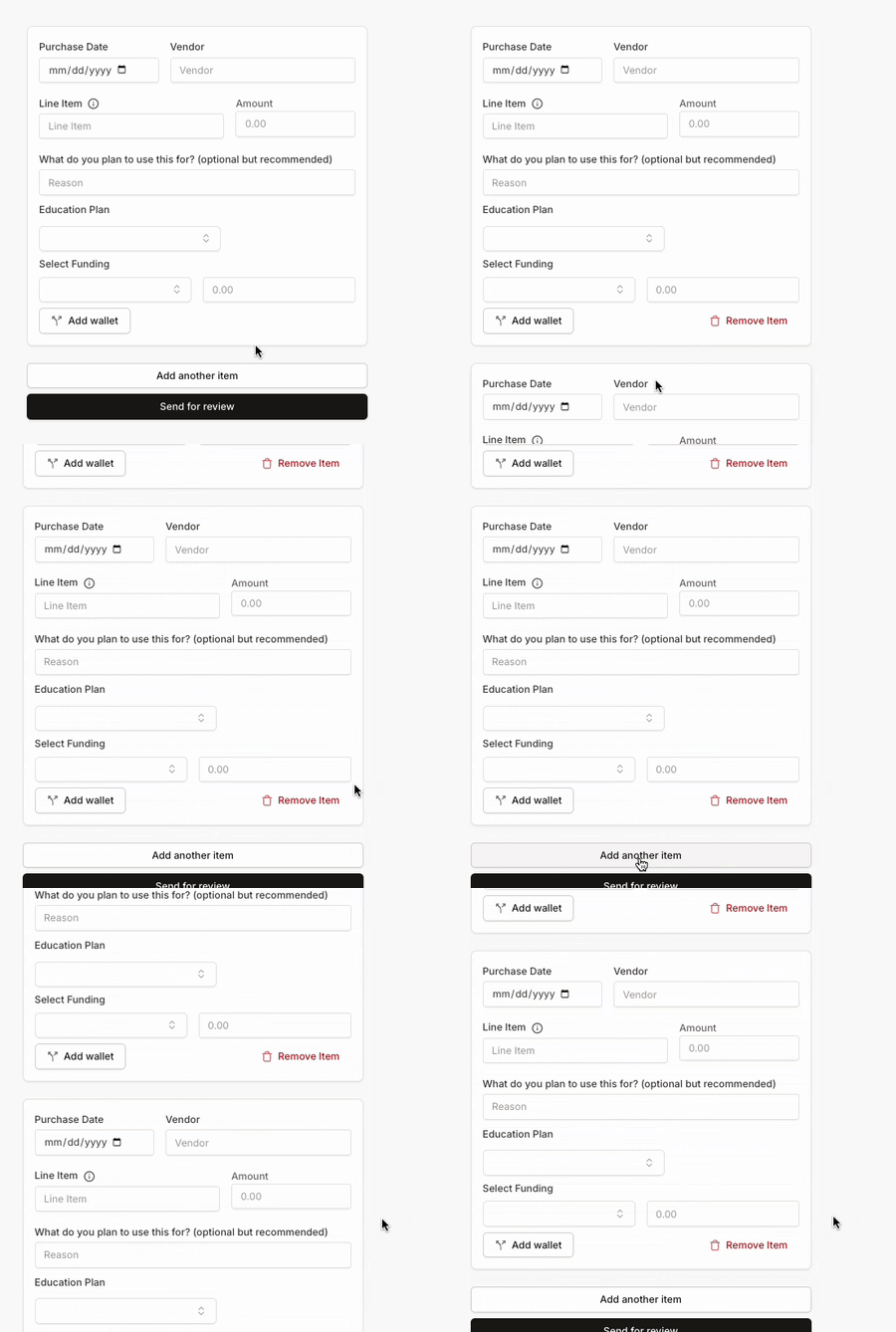
If you're submitting reimbursement for multiple students' materials at the same time, it's important to associate each line item with the right student's education plan.
As an example, let's say you've uploaded a receipt that includes two items: a Math textbook for your student Jen, and a Piano workbook for your student John.
For the Math textbook line item, you'd select Jen's Math subject from the Education Plan dropdown menu. That tells our team that this item was purchased for Jen.

For the Piano workbook line item, you'd select John's Piano independent study. That tells our team that this item was purchased for John.
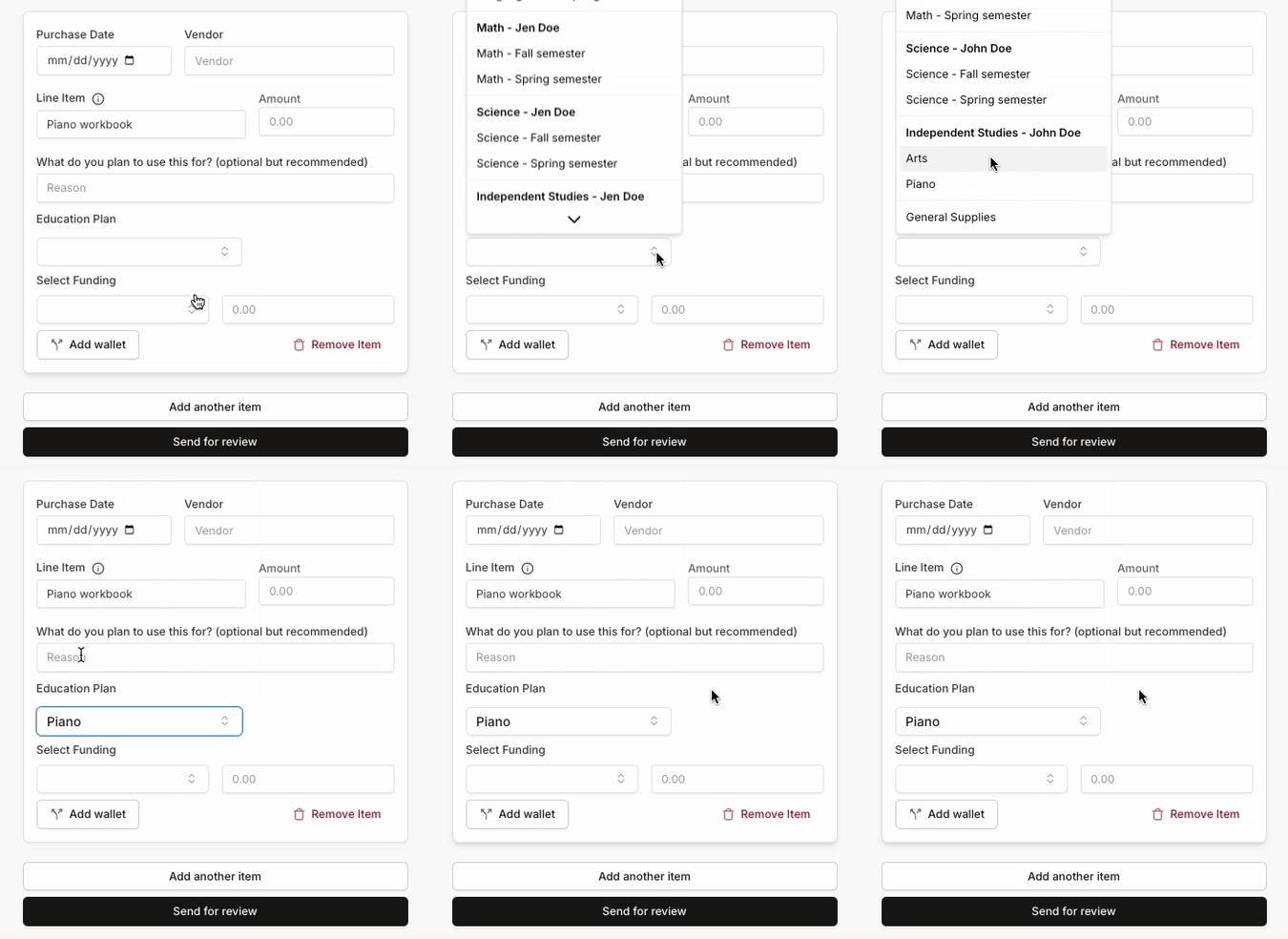
If we can easily see which item relates to which student, we won't have to bug you with any follow-up questions!
Submitting Reimbursement For Multiple Subjects
On your reimbursement request, you might decide to include a bunch of items related to a handful of different subjects from your student's education plan. That's awesome!
For each line item, just make sure that you pick the right subject from the Education Plan dropdown menu. Taking that step is a huge help when our team goes to process your request, keeping things moving quickly.
Tip: Labeling your receipts with who and what each item is for is a great way to expedite the approval process. If our team can open your uploaded receipts and see at a glance which student and subject each resource is for, we'll be able to get you your refund a lot faster.
Uploading a lot of receipts at once? Keep in mind that you can submit as many reimbursement requests as you want! While there's no limit to how many files you can upload per request, we recommend breaking up your purchases into separate requests to ensure smooth processing.
Note: You'll see a General Supplies option at the bottom of the Education Plan dropdown menu.
We recommend only using this option for general school supplies. If your item is tied to a specific subject from your student’s education plan, select that subject instead!
Watch: Reimbursement Tips & Tricks